
I just love this new format, and I wanted to share a very cool new function that we'll all use, and that's the super simple way to post photos. In fact I'll take screen shots as I'm making this post without ever having to leave it...
Added note: If you don't have a photo program to re-size your photos (they need to be less than 1000 pixels wide) here is a link to a free online photo re-sizer.
Free Online Picture Resizer - Crop and Resize photos, images, or pictures online for FREE!
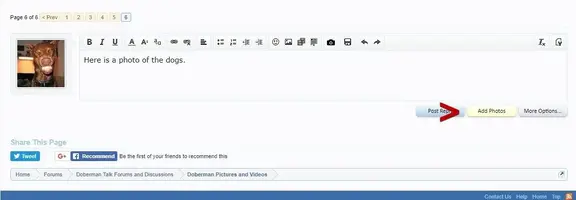
The first step is to hit the "attach photo" tab at the bottom of your post box.
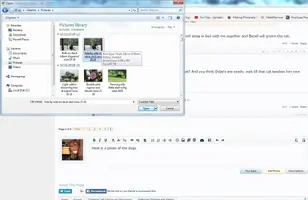
Next you select as many photos as you'd like, upload them, then choose either "thumbnail or full sized".
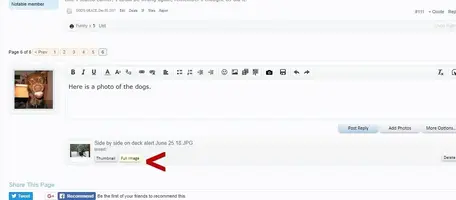
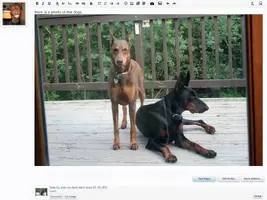
That's it - you're all done and they're automatically posted in your thread. Simple, isn't it?
Edit By Admin:
-------------------------------
Alternately try the new Drag an Drop system Tested in Chrome and Firefox..
View: http://www.youtube.com/watch?v=qIUplqNxmCk&feature=youtu.be
Updated August, 2018
Added note: If you don't have a photo program to re-size your photos (they need to be less than 1000 pixels wide) here is a link to a free online photo re-sizer.
Free Online Picture Resizer - Crop and Resize photos, images, or pictures online for FREE!
The first step is to hit the "attach photo" tab at the bottom of your post box.
Next you select as many photos as you'd like, upload them, then choose either "thumbnail or full sized".
That's it - you're all done and they're automatically posted in your thread. Simple, isn't it?
Edit By Admin:
-------------------------------
Alternately try the new Drag an Drop system Tested in Chrome and Firefox..
Updated August, 2018
Last edited:




 I didn't even put them all out this year.....