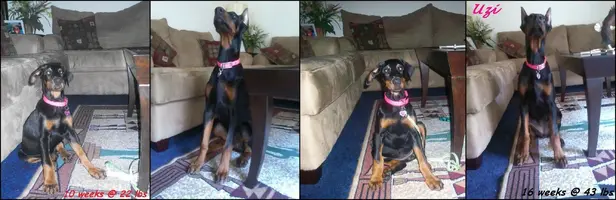
Ok....so here is the first in my version of "Uzi and her table" pics. The table/couch seemed like a good choice because it's something that will not be changing any time in the near future.
Can someone tell me how to add these to the first posting so they run under the first one for better comparison?
I have been slack about getting these pics taken. The 1st ones were at 10 weeks @ 22lbs. These were taken at 16 weeks @ 43 lbs!
My second installment....
Uzi @ 16 weeks!
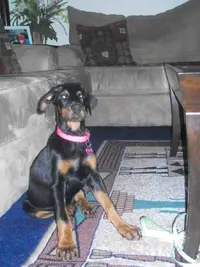
It's been 2 weeks so I guess I need to take more! Also, she is wearing the same collar! In the first pic it was on the last hole to make it as small as it would go and it was still lose. Now there is only one hole left and it's time for a new collar! I can't put it in the last hole bc I had cut off all the "Extra" when I first got it bc it was wrapping around her neck! LOL
Once your 4 minutes are up it's up, only an admin can do stuff to your post but what you can do is as I do in the puppy weight thread.
(Forgive the dummies guide it's just the way I do it, there are no dummies here besides me )
1 - Find your last post with your first figures/pics whatever in them - the post you want to add to
2 - Hit the 'REPLY' button on the bottom of that post (you are basically replying to yourself)
3- Delete the [ quote ] tags at the beginning and end of your post and all the other bits of info within the brackets in the first quote tag, make sure you also delete the brackets.
4 - Edit, add text, add photo's till your hearts content... check it all out by hitting 'Preview' (under the 'More Options' button)
5 - When happy hit the 'Post Reply' button..... then you have 4 minutes to tidy or correct your post before it gets set in stone.
6 - Oh and listen to someone else there maybe a simpler way although the above is dead simple...
Doh told you I was a dummy, you want to add to the first post not create a cumulation post somewhere down the thread, ok well erm I think unless your an admin I don't think it can be done.
But my guide may come in useful to someone in the puppy weight thread
You're correct Marko and you gave great instructions there. All of the cumulative photos will have to go in the latest post for them to show up side by side, but it's a cool way to do it too.
Hello Guest!
We are glad you found us, if you find anything useful here please consider registering to see more content and get involved with our great community members, it takes less than a minute!
This site uses cookies to help personalise content, tailor your experience and to keep you logged in if you register.
By continuing to use this site, you are consenting to our use of cookies.








 )